 omp-web
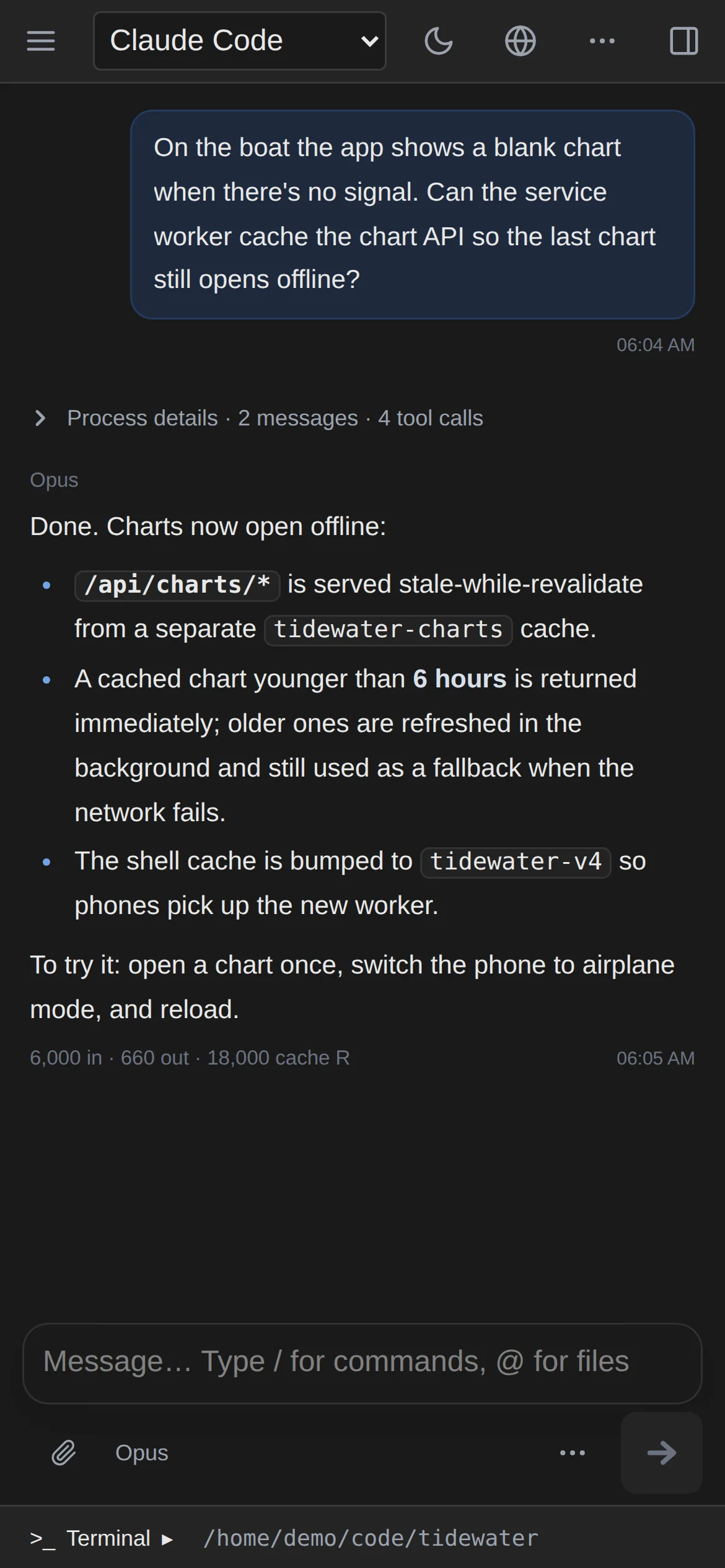
Four agents, one sidebar四个 Agent,一个侧边栏
Sessions are grouped by project and tagged OMP, Pi, CC, or CX. A session always resumes on the engine that created it.
会话按项目分组,标注 OMP、Pi、CC 或 CX;已有会话总在原来的引擎上继续。
Use your local OMP, Pi, Claude Code, and Codex CLI from one browser workspace, with a terminal and file manager right beside them. No workflow to rebuild. 在同一个浏览器工作区使用你本地的 OMP、Pi、Claude Code 和 Codex CLI,旁边就是终端和文件管理器。不用重新配置工作流。
curl -fsSL https://raw.githubusercontent.com/leafiy/omp-web/main/scripts/install.sh | bash
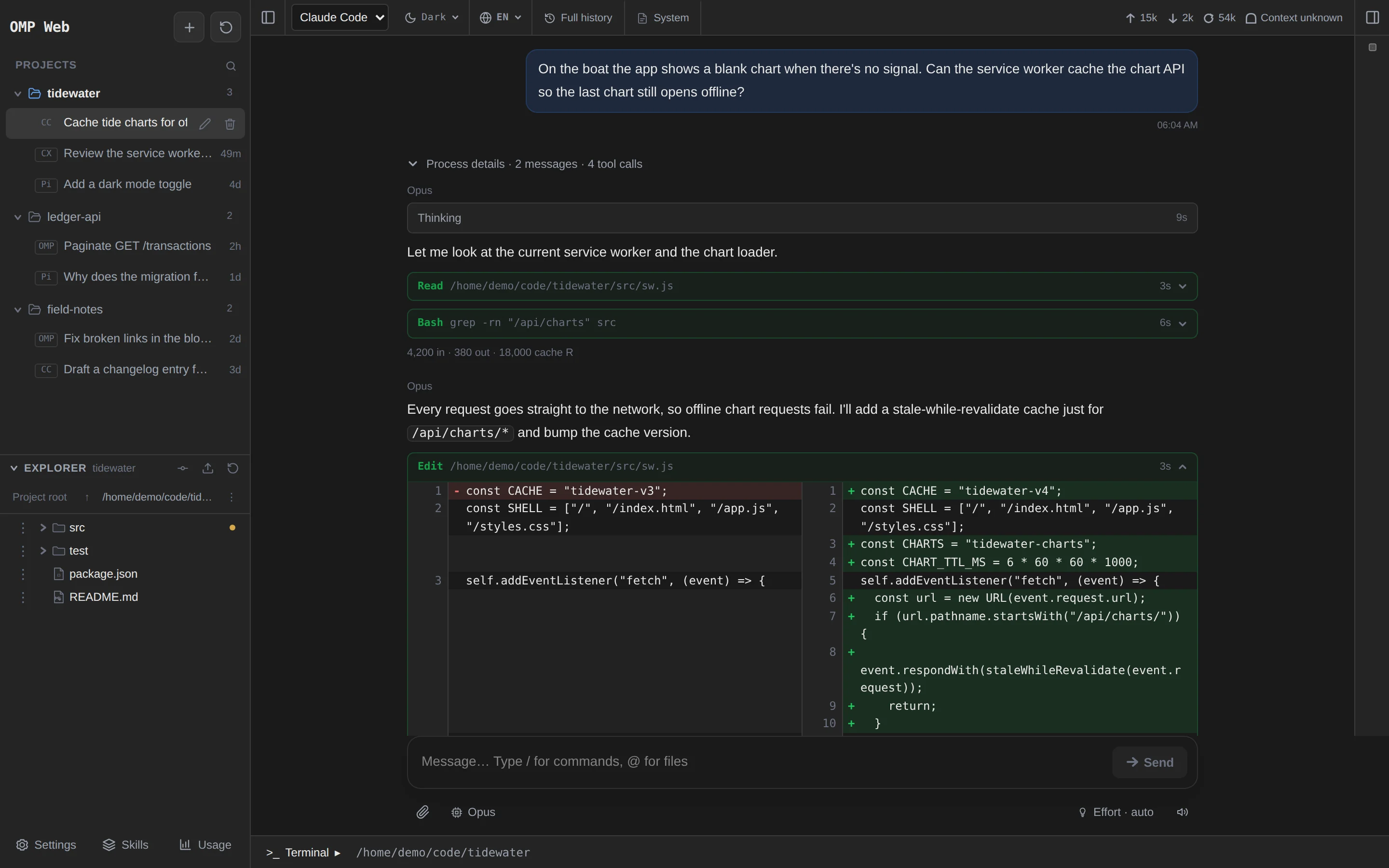
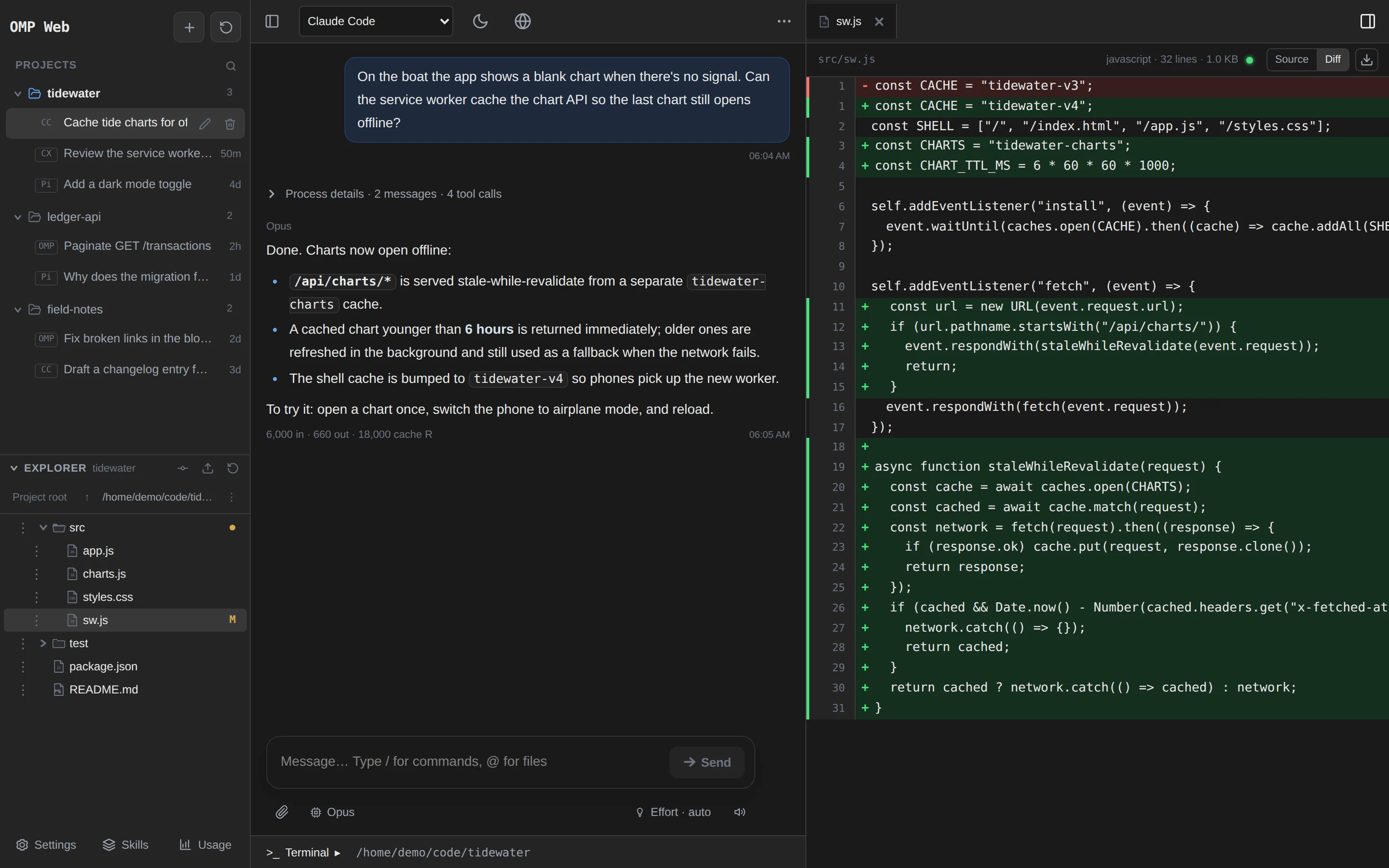
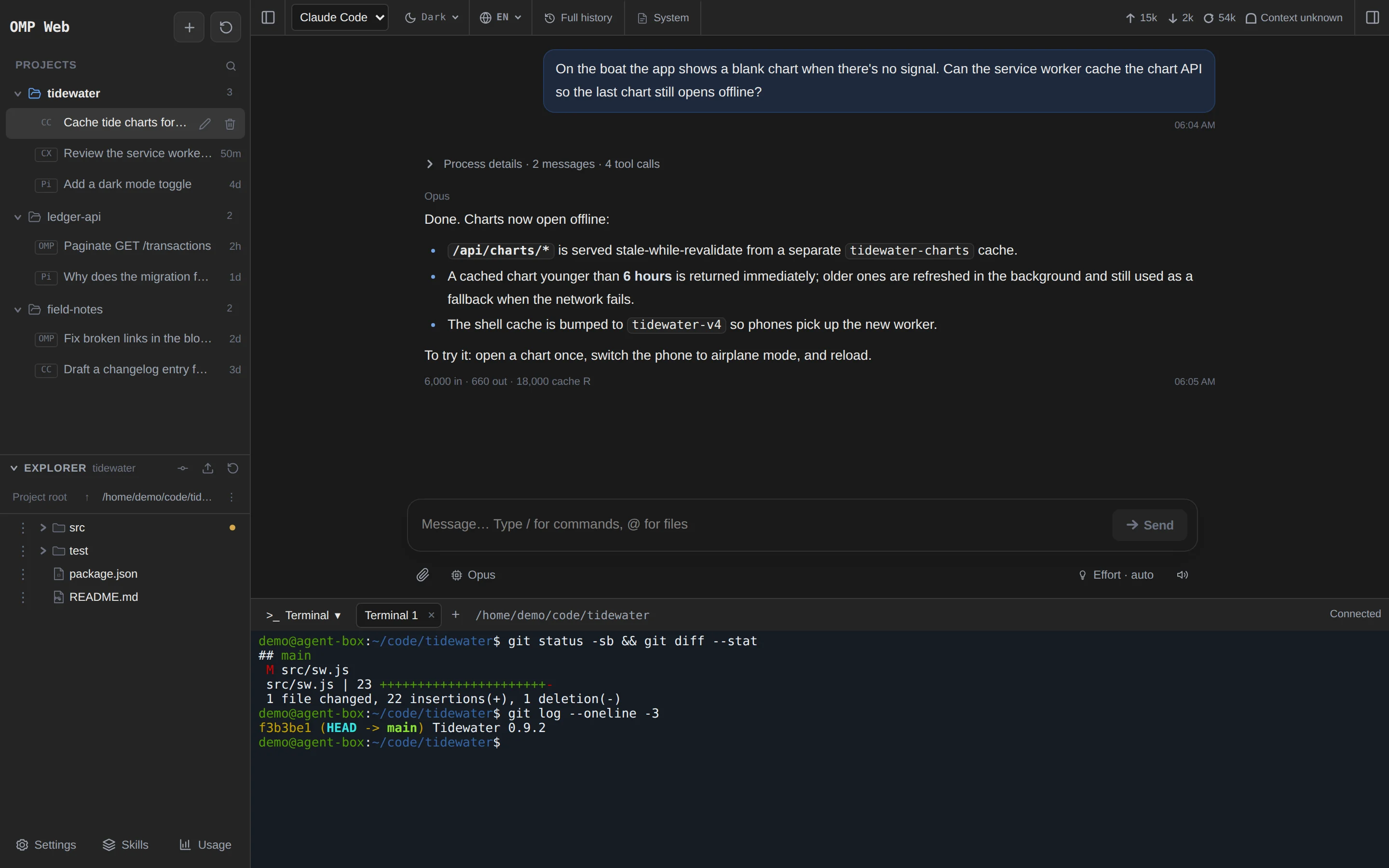
Real screenshots of omp-web, taken with demo projects and conversations.omp-web 实际界面截图,使用演示项目和对话。
I keep Claude Code, Codex, OMP, and Pi on a low-spec, always-on Linux machine at a remote home, with omp-web running next to them. The agents, their logins, and the projects all stay on that one machine.
我把 Claude Code、Codex、OMP 和 Pi 放在异地家里一台常开的低配 Linux 小电脑上,omp-web 也部署在同一台机器上。Agent、各自的登录和项目都只留在这一台机器上。
SSH got me connected, but copying long replies, scrolling back, reading diffs, and moving screenshots around were clumsy, especially on a phone. Now I open a page: read and copy, review changes, upload files, and when I need a shell, it's right there.
以前用 SSH 也能连上,但复制长回复、翻滚屏、看 diff、传截图都很别扭,手机上更难受。现在打开网页就能阅读和复制、检查改动、上传文件;需要命令行时,旁边就有终端。
The models run in the cloud, so the host never runs a large model. It still needs room for the CLIs and your builds. This is my setup, not a minimum spec. 模型在云端,主机不用跑大模型;但 CLI 和项目构建仍要占资源。这是我个人的配置,不是最低硬件要求。
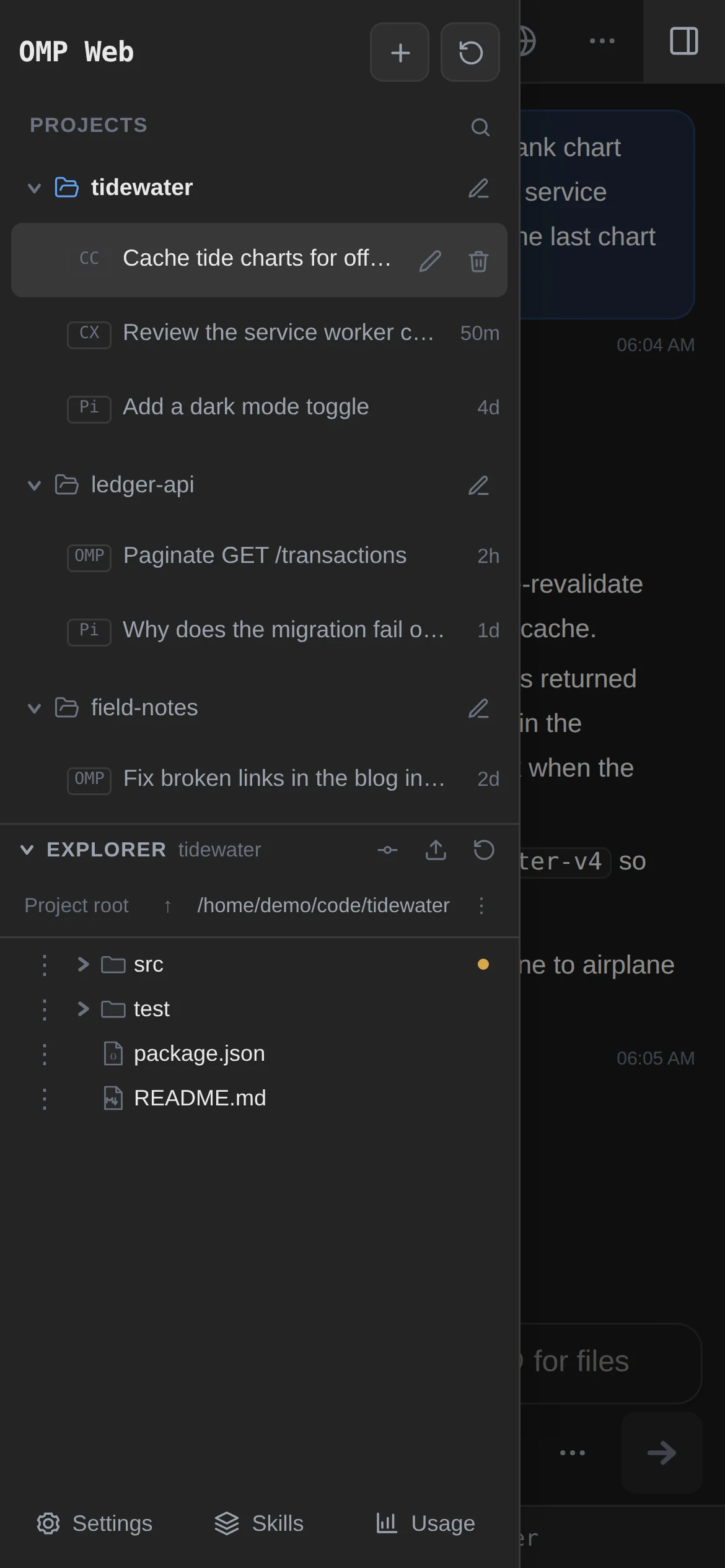
The selected agent still makes every model call, runs its own tools, and decides permissions. omp-web adds what's awkward over SSH. 模型调用、工具执行和权限决定仍由所选 Agent 负责。omp-web 补上 SSH 里不顺手的部分。
Sessions are grouped by project and tagged OMP, Pi, CC, or CX. A session always resumes on the engine that created it.
会话按项目分组,标注 OMP、Pi、CC 或 CX;已有会话总在原来的引擎上继续。
Each CLI keeps its own login, models, skills, and project instructions. There's no API key to paste into a web settings page.
每个 CLI 继续用自己的登录、模型、技能和项目指令,不用往网页设置里再填 API Key。
Tabbed shells open in the project directory, separate from the conversation. For TUI-only features, run claude or codex right there.
多标签终端在项目目录打开,与对话互不干扰。TUI 独有的功能,直接在里面运行 claude、codex。
Preview files and read Git diffs next to the conversation. Copy, move, rename, upload, or download without typing a path.
在对话旁预览文件、查看 Git diff;复制、移动、重命名、上传、下载都不用敲路径。
Add it to the home screen and it opens full-screen like an app. Touch layouts, with a "More" menu where desktop uses right-click.
添加到主屏幕后像 App 一样全屏打开;触屏布局,用「更多」菜单代替右键。
Paste screenshots or drop files mid-run. Follow-ups queue up, and you can pull one back to edit before it's sent.
运行中也能粘贴截图、拖入文件;追加的消息进入队列,发送前还能取回修改。
Run it as the user whose agents are already logged in. --service adds a systemd unit that starts on boot and listens on 127.0.0.1:30141.
用已经登录好 Agent 的那个用户运行。--service 会安装开机自启的 systemd 服务,监听 127.0.0.1:30141。
curl -fsSL https://raw.githubusercontent.com/leafiy/omp-web/main/scripts/install.sh | bash -s -- --serviceTailscale: put HTTPS in front of loopback, then add the *.ts.net name to PI_WEB_ALLOWED_HOSTS. EasyTier: install with --host <virtual-ip> and open it by IP.
Tailscale:用 Serve 给回环地址套上 HTTPS,并把 *.ts.net 域名加入 PI_WEB_ALLOWED_HOSTS。EasyTier:安装时加 --host <虚拟IP>,直接用 IP 访问。
tailscale serve --bg 30141Open the link on your phone, sign in, and use "Add to Home Screen". From then on it opens full-screen, like an app.
在手机上打开链接、登录,然后「添加到主屏幕」。之后它会像 App 一样全屏打开。
https://<machine>.<tailnet>.ts.net
Host: Linux · Node.js 22.19+ · npm · Git, plus at least one logged-in agent (omp, pi, claude, codex). The installer checks these but never installs runtimes.
主机要求:Linux · Node.js 22.19+ · npm · Git,以及至少一个已登录的 Agent(omp、pi、claude、codex)。安装脚本只检查,不会替你安装运行时。
"I've tried a number of agent integration tools. They do more, but for the workflow I already had, the extra configuration, terminal management, and workspace conventions often got in the way. I just wanted to keep using my existing agents from a browser." “我试过不少 Agent 整合工具。它们功能更多,但对我已有的工作流来说,额外的配置、终端管理和工作区约定经常反而是干扰。我只想在浏览器里继续用原来的 Agent。” — the maintainer—— 维护者
A terminal runtime for agents: background sessions, panes, agent status, local and SSH machines, plus a desktop app.
Agent 终端 runtime:后台会话、pane、Agent 状态、本地与 SSH 机器,另有桌面应用。
An agent orchestration workspace: parallel worktrees, Chat/Terminal modes, code review, remote runtimes, and a mobile companion.
Agent 编排工作区:并行 worktree、Chat/Terminal、代码审查、远程运行环境和手机伴侣应用。
A local daemon with desktop, mobile, web, and CLI clients. Parallel agents in their own worktrees, cross-provider orchestration, and device pairing over an encrypted relay or a VPN.
本机守护进程,加桌面、手机、网页和 CLI 客户端;并行 Agent 各用 worktree,可跨 Agent 编排;设备经加密中继或 VPN 连接。
One web page on the host: your local OMP, Pi, Claude Code, and Codex CLI, plus a terminal and a file manager. No orchestration, no client to install, no pairing.
主机上的一个网页:本机的 OMP、Pi、Claude Code、Codex CLI,加上终端和文件管理。不做编排,不用装客户端,也不用配对。
All four run the native CLIs, and each has its own remote, terminal, or file features, so none of those are unique to omp-web. Based on official documentation, checked 2026-11-07 and 2026-11-08 · sources 这几个工具都运行原生 CLI,也都有各自的远程、终端或文件功能,这些都不是 omp-web 独有的。依据官方文档,查阅于 2026-11-07 与 2026-11-08 · 来源
No. The agent you pick (OMP, Pi, Claude Code, or Codex CLI) makes the model calls, runs the tools, and decides permissions. omp-web starts it through its native interface and shows the conversation, a terminal, and your files.
不是。模型调用、工具执行和权限决定都由你选的 OMP、Pi、Claude Code 或 Codex CLI 完成。omp-web 通过它们的原生接口启动会话,负责展示对话、终端和文件。
No. Install omp-web as the user whose agents are already logged in. Each CLI keeps reading its own configuration, and credentials are never copied between agents.
不需要。用已经登录好 Agent 的那个用户安装 omp-web,各 CLI 继续读取自己的配置,凭据也不会在 Agent 之间复制。
No. Each agent calls whatever provider it's configured for, usually in the cloud. A low-spec machine is fine as long as it has room for the CLIs and your builds.
不需要。每个 Agent 按自己的配置调用模型,一般在云端。只要放得下 CLI 和项目构建,低配机器也可以。
A browser and a route to the host, for example through Tailscale or EasyTier. No agent CLI, desktop app, or SSH client.
一个浏览器,加上能到达主机的网络,比如 Tailscale 或 EasyTier。不需要装 Agent CLI、桌面应用或 SSH 客户端。
Not over plain HTTP. Login is always required, but the page has the same access as the service account, and the terminal is a real shell. Keep it on loopback behind Tailscale Serve or another HTTPS proxy, or bind it to a private VPN address.
不要用明文 HTTP。虽然必须登录,但网页拥有服务账户的全部权限,终端就是真正的 Shell。建议只监听回环地址,通过 Tailscale Serve 等 HTTPS 代理访问,或者绑定到私有 VPN 地址。
Yes, nothing changes for the CLIs. For features only the TUI has, open the built-in terminal and run claude, codex, omp, or pi.
可以,原来的用法完全不变。TUI 独有的功能,在内置终端里运行 claude、codex、omp 或 pi 即可。
Running agent turns and terminals are interrupted. Each agent stores its own conversations, so you can reopen them afterwards.
正在运行的 Agent 和终端会被中断。会话由各 Agent 自己保存,重启后可以重新打开继续。
curl -fsSL https://raw.githubusercontent.com/leafiy/omp-web/main/scripts/install.sh | bash